Shift calendar
A nurse shift calendar for iPhone.
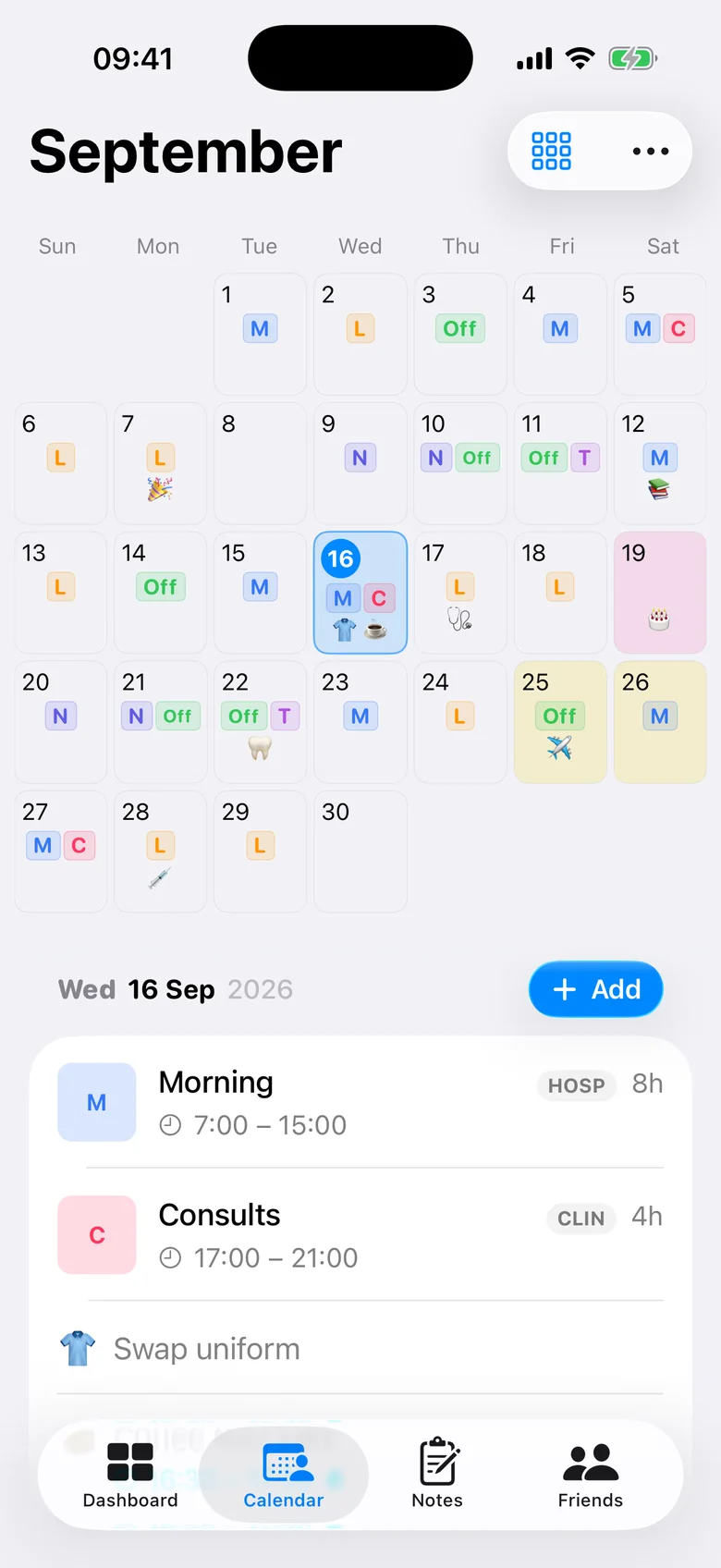
Most calendar apps are designed for meetings. AfterDuty is designed for shifts: every day shows what you are working — early, late, night, long day or day off — in your own colours and codes, so the whole month reads at a glance.
Why a normal calendar struggles with shift work
General calendar apps are event-oriented: each shift becomes an appointment with a start and end time, repeats have to fit a daily or weekly rule, and a day off is simply an empty day. Night shifts that run past midnight spill across two dates, and a five- or eight-day rotation doesn’t map onto a weekly repeat.
Shift workers think in shift types — Early, Late, Night, Long Day, Day off — and in rotations. AfterDuty uses those as its building blocks: a day is labelled with the shift you work, days off are part of the rota, and rotations of any length repeat correctly.
Month view
The whole month at a glance
Each day shows your shift as a short code in its own colour. You can customise every calendar day with two to four lines — the shift code, the shift name, its times or a note’s emoji — and adjust the text size.
- Your own codes and colours
- Days off and nights easy to spot
- Colour markers for days that matter
Week and agenda
Switch to the view that suits the moment
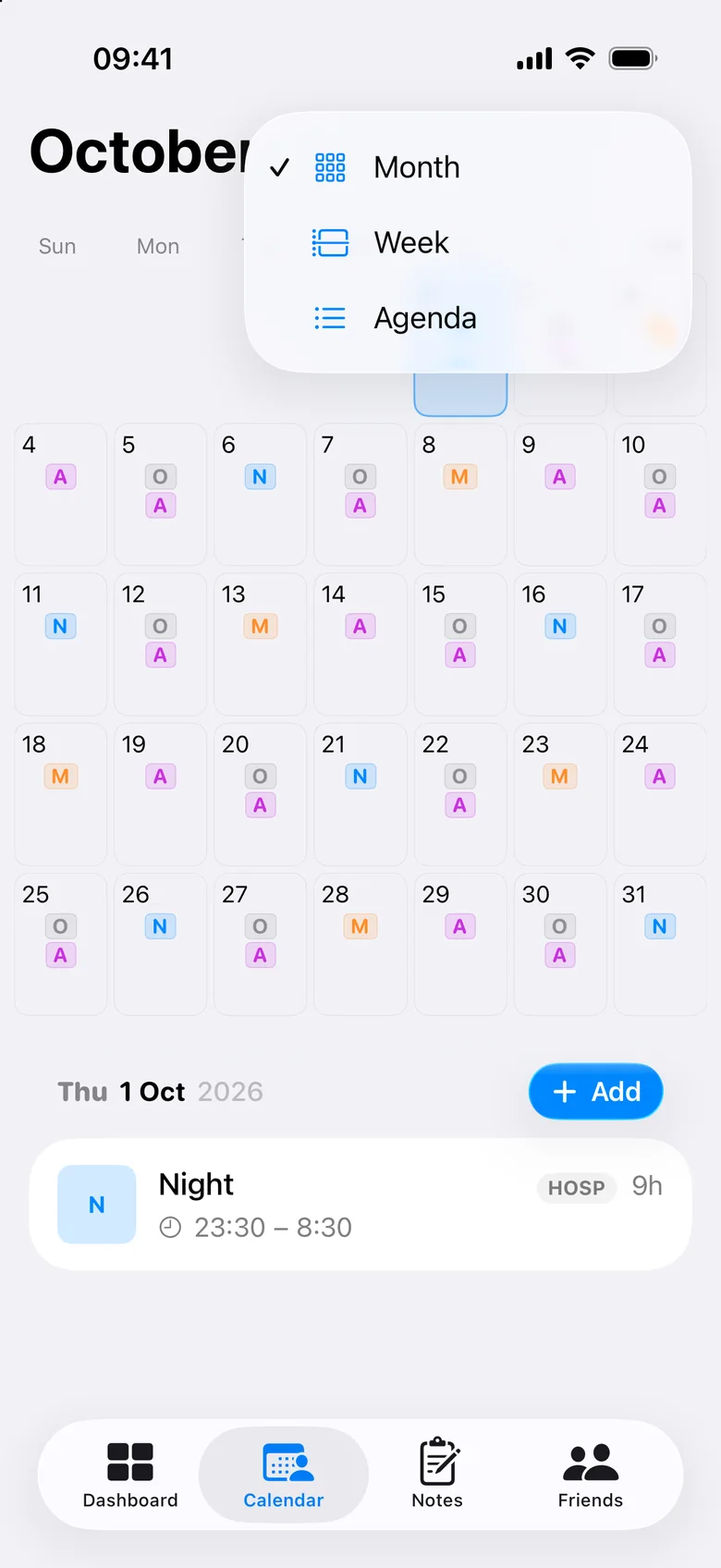
Month for planning, week for the days ahead, agenda for a running list of what’s next. Each view shows your shifts with their times, plus any notes you have added to the day.
Your other calendars
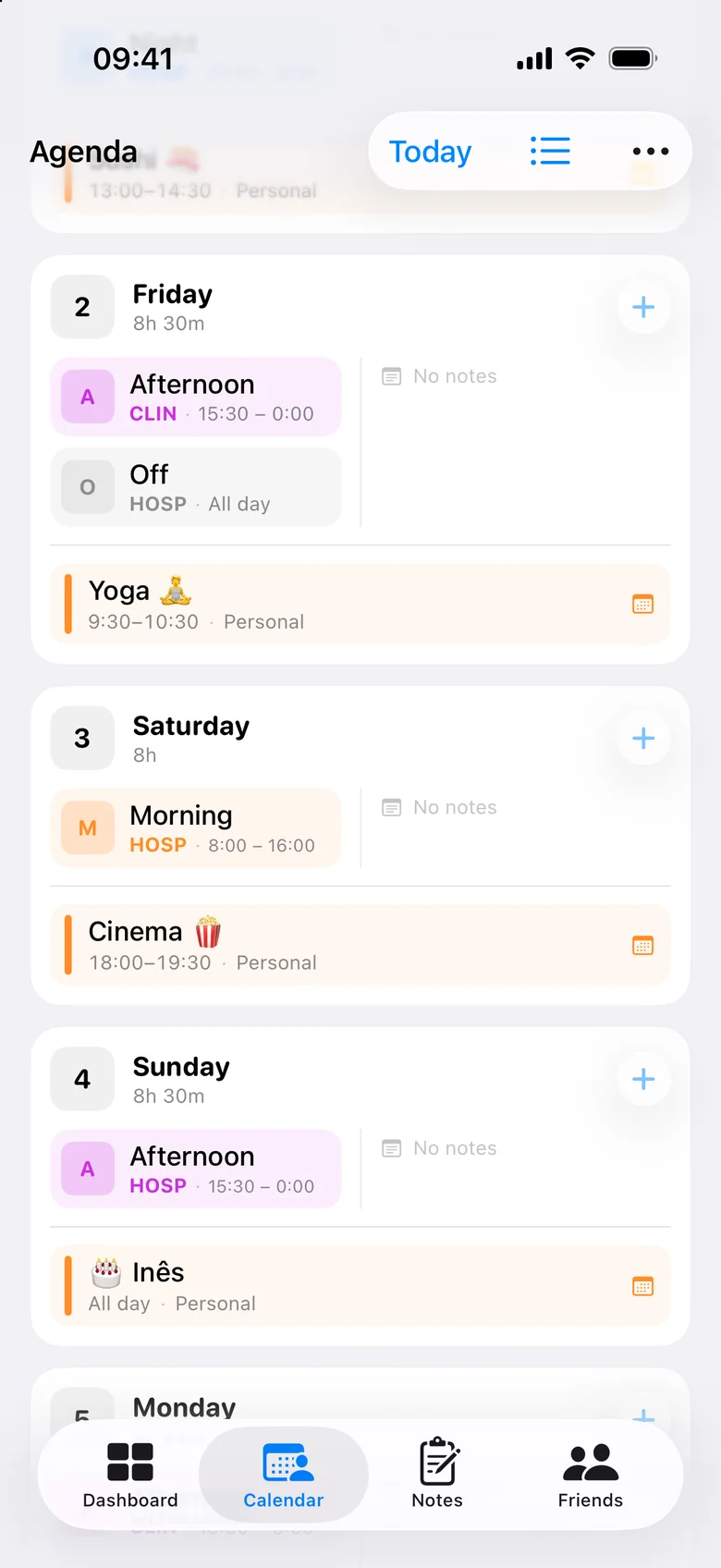
Shifts and life in one place
Choose which of your iPhone calendars to show, and their events appear in the agenda alongside your shifts. With AfterDuty Pro you can also send your shifts and notes the other way — to a calendar of your choice — and keep it up to date as your rota changes.
Widgets
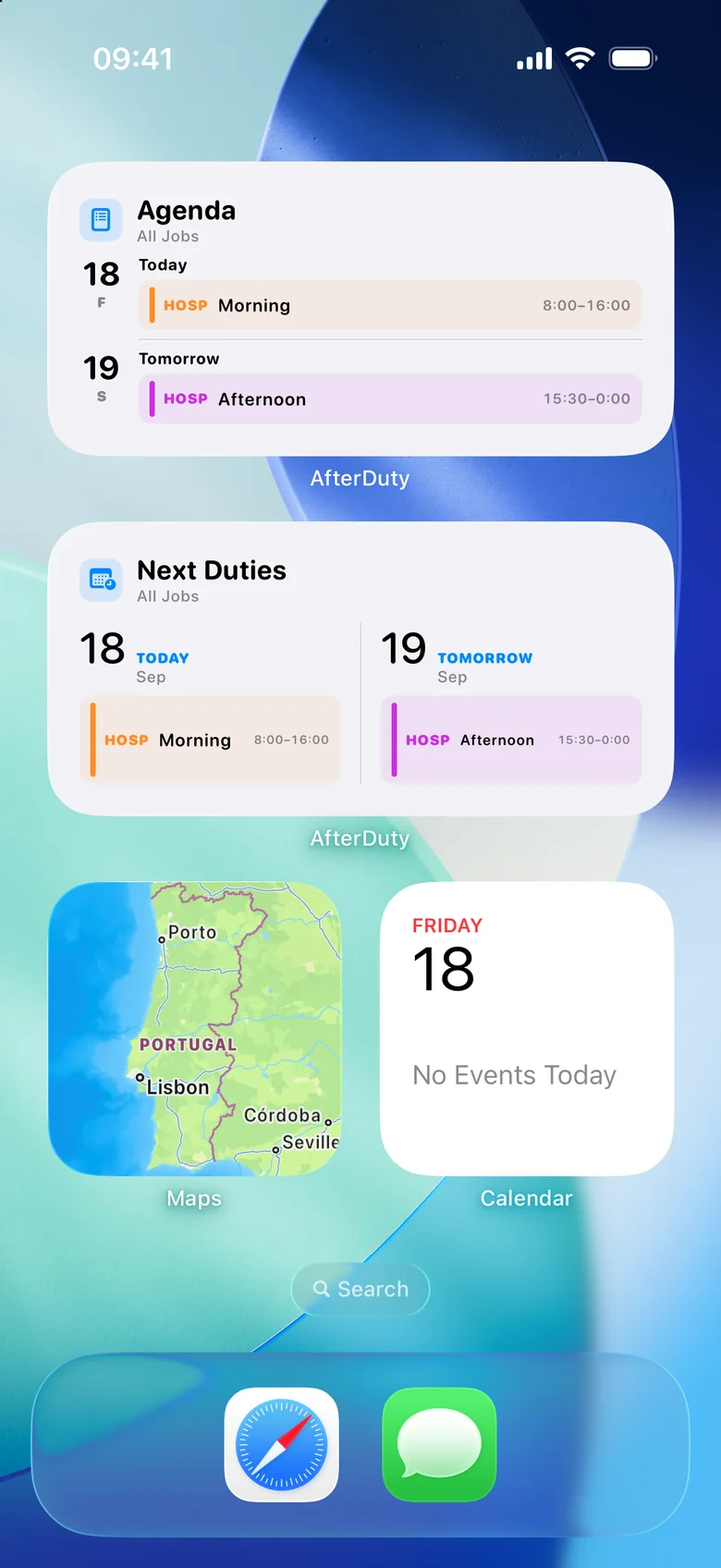
Your next shift without opening the app
Home Screen widgets in small, medium and large sizes show your next duties, the week or the agenda. Lock Screen widgets show what’s next at a glance.
More than a calendar
Repeating rotations
Save your cycle and apply it for months. See the rota planner.
Several jobs
Separate shift types and hours for each job, in one calendar.
Reminders
Before each shift, and when next month’s rota is still empty.
Hours and rest
Weekly and monthly hours, with rest and workload signals.
Notes with times
Training, appointments or birthdays on any day, with an optional reminder.
Shared rotas
Compare rotas with colleagues through iCloud and spot mutual days off.
Frequently asked questions
Can I see my shifts in the iPhone Calendar app?
Yes, with AfterDuty Pro: shifts and notes can be sent to a calendar you choose and kept up to date. On the free plan, you can show events from your iPhone calendars inside AfterDuty’s agenda.
How does AfterDuty show night shifts and days off?
They are shift types, so each has its own code, colour and times. A day off appears in the calendar like any other shift, which makes free days as visible as working days.
Is there a widget for my next shift?
Yes. There are Home Screen widgets in three sizes and Lock Screen widgets that show your upcoming shifts.
Can I customise how each day looks?
Yes. Choose the colour and short code of every shift type, and show two to four lines per day with the code, name, times or a note’s emoji.
Does it work without an internet connection?
Yes. Your rota is stored on your iPhone, so you can check it offline. iCloud backup and sharing sync when you are back online.