- Made for nurses
- No account
- No ads
The shift rota planner for nurses Your rota,
finally calm.
The shift calendar built for nurses and healthcare staff on rotating shifts. Your whole month at a glance, every job in one place, and your next shift one look away.




IMG_4821.HEIC
Rota photo · Ward group
Rota_Sept_FINAL_v3 (2).xlsx
Swap with Ana on the 14th??
Inês
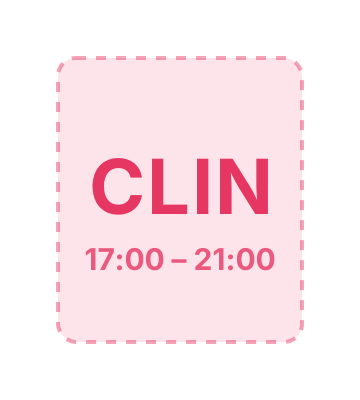
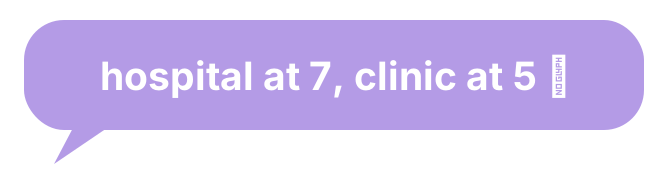
Clinic 17:00
…or was it 18:00?
Put October’s rota in!!
Overdue · 3 days
47 unread
Ward group chat
Sound familiar?
Shift work is hard enough. Your rota shouldn’t be.
A photo of the rota in the group chat. A spreadsheet called FINAL_v3. Sticky notes on the fridge. And still no idea if you’re off on Saturday.
Now
It all lives in one calm calendar.
Every shift, every job, every note, colour-coded and in your pocket.
01 / 09
The problem
“Typing thirty shifts in, one at a time, every single month.”
With AfterDuty
Fill your month
in under a minute.
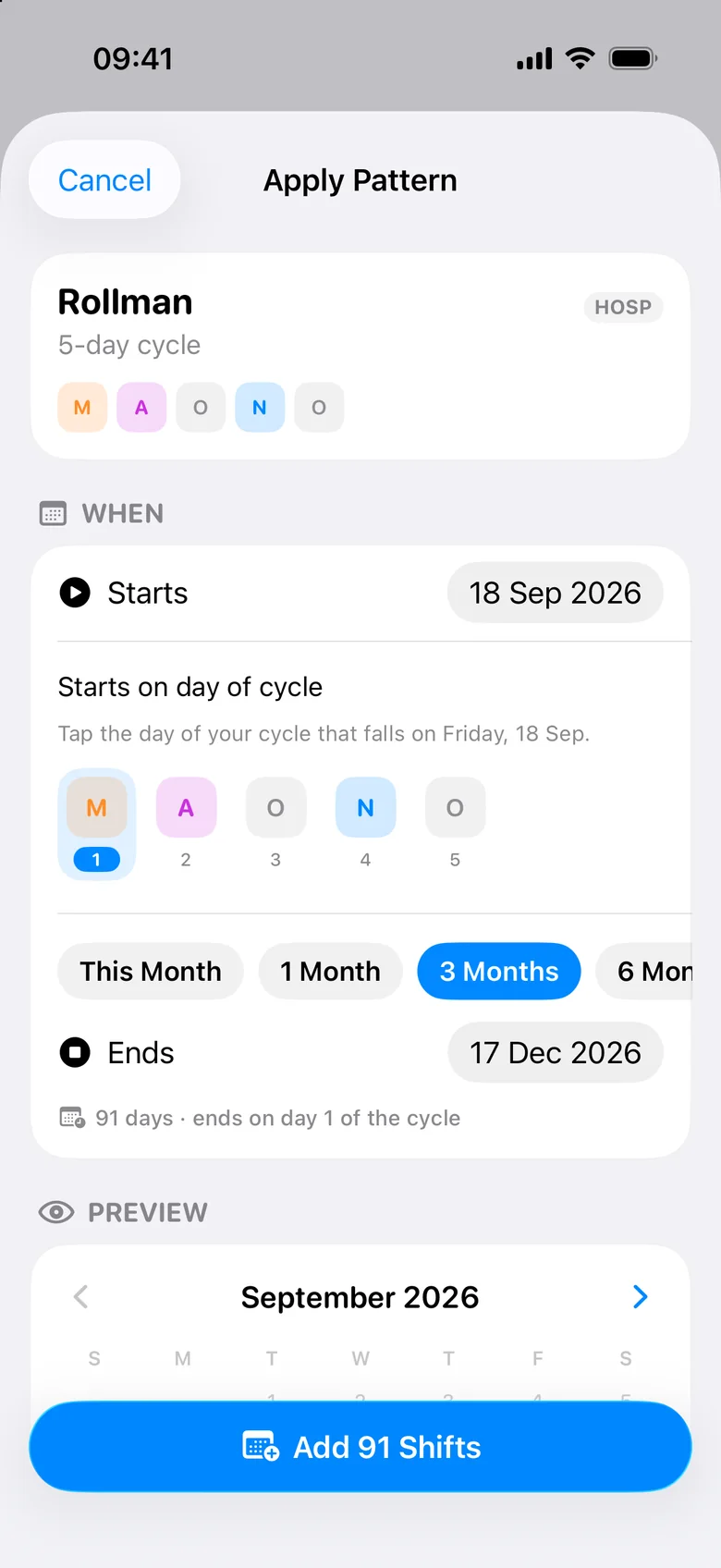
Tap a shift and AfterDuty jumps to the next day on its own. Or save your rotation once and roll out months of shifts in a single tap.
- Tap-to-fill that moves on by itself
- Rotation patterns & ready-made templates
- Add 91 shifts at once, then tweak any day


02 / 09
The problem
“The hospital in one app, the clinic in another, and the bank shifts on a sticky note.”
With AfterDuty
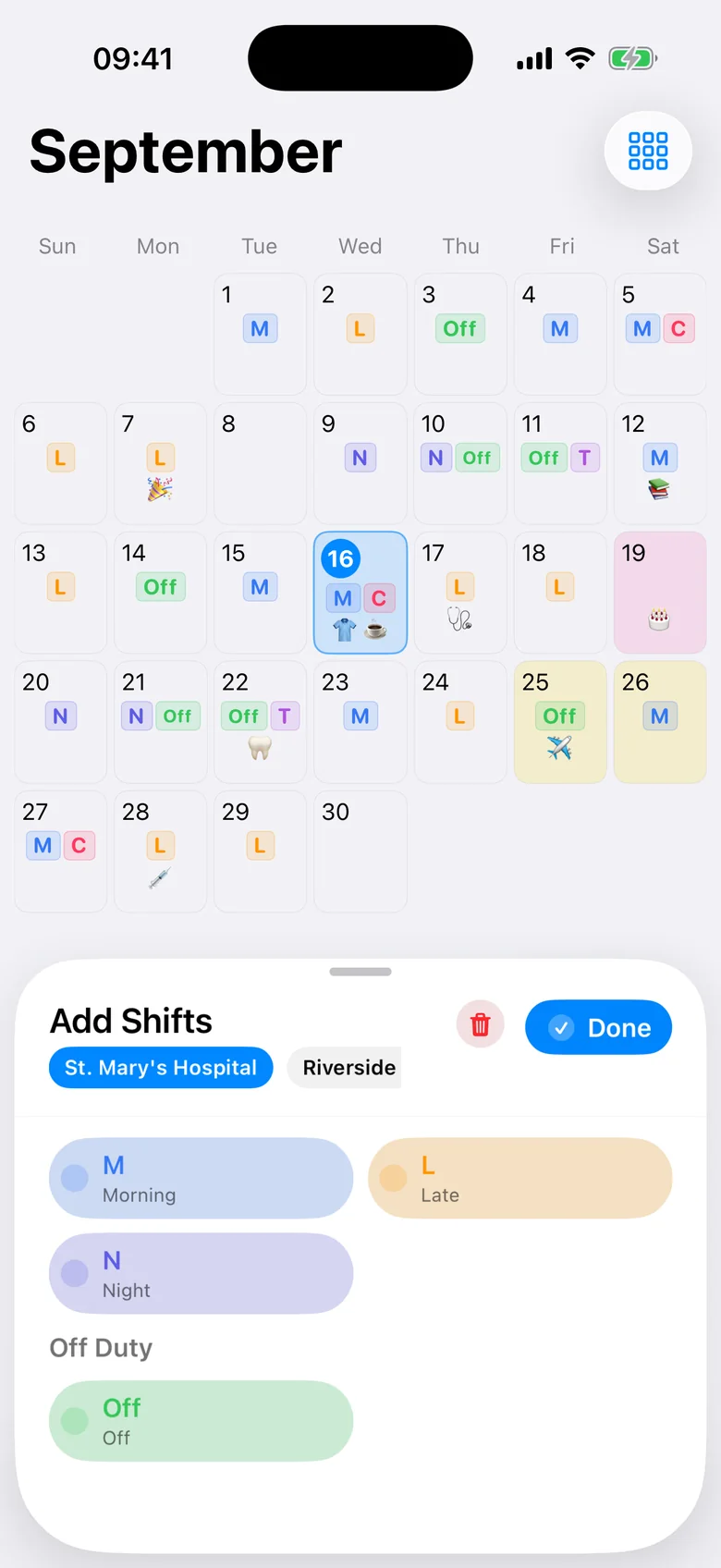
Two jobs.
One calendar.
Give every job its own shifts, colours and codes. See them side by side, filter when you need to, and never double-book yourself again.
- Unlimited jobs with their own shift types
- Colours and codes you choose
- Hours per job, per week, per month

03 / 09
The problem
“Are you off on Saturday? Twenty messages later, still no answer.”
With AfterDuty
See when you’re
both off.
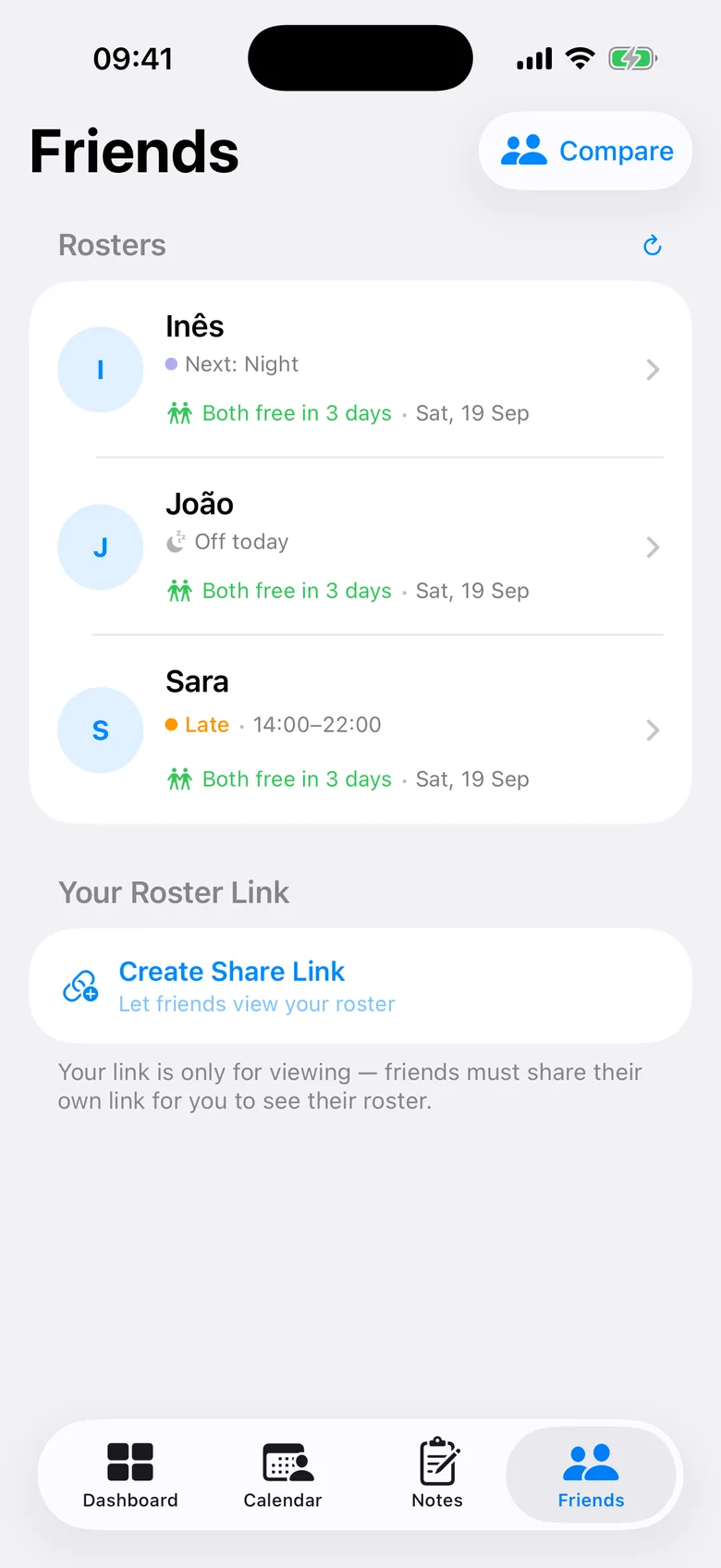
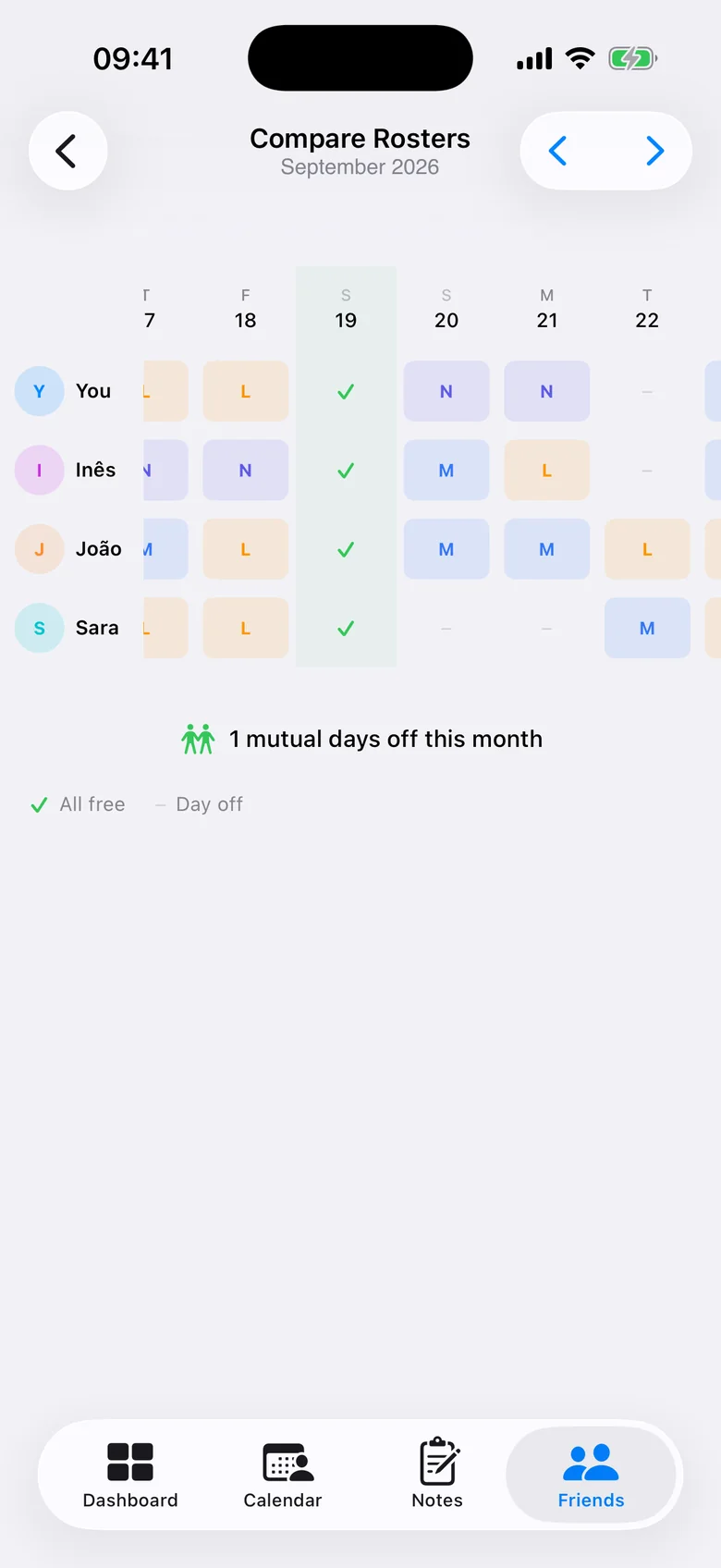
Share your rota with friends and colleagues through a private link and compare them in one grid. The best days to meet come first, and night shifts count as busy, so a free day really is free.
- A private, encrypted link: no account needed
- Compare rotas side by side
- Best days to meet, highlighted


04 / 09
The problem
“Unlocking, opening, scrolling… just to check what time you start tomorrow.”
With AfterDuty
Your next shift,
at a glance.
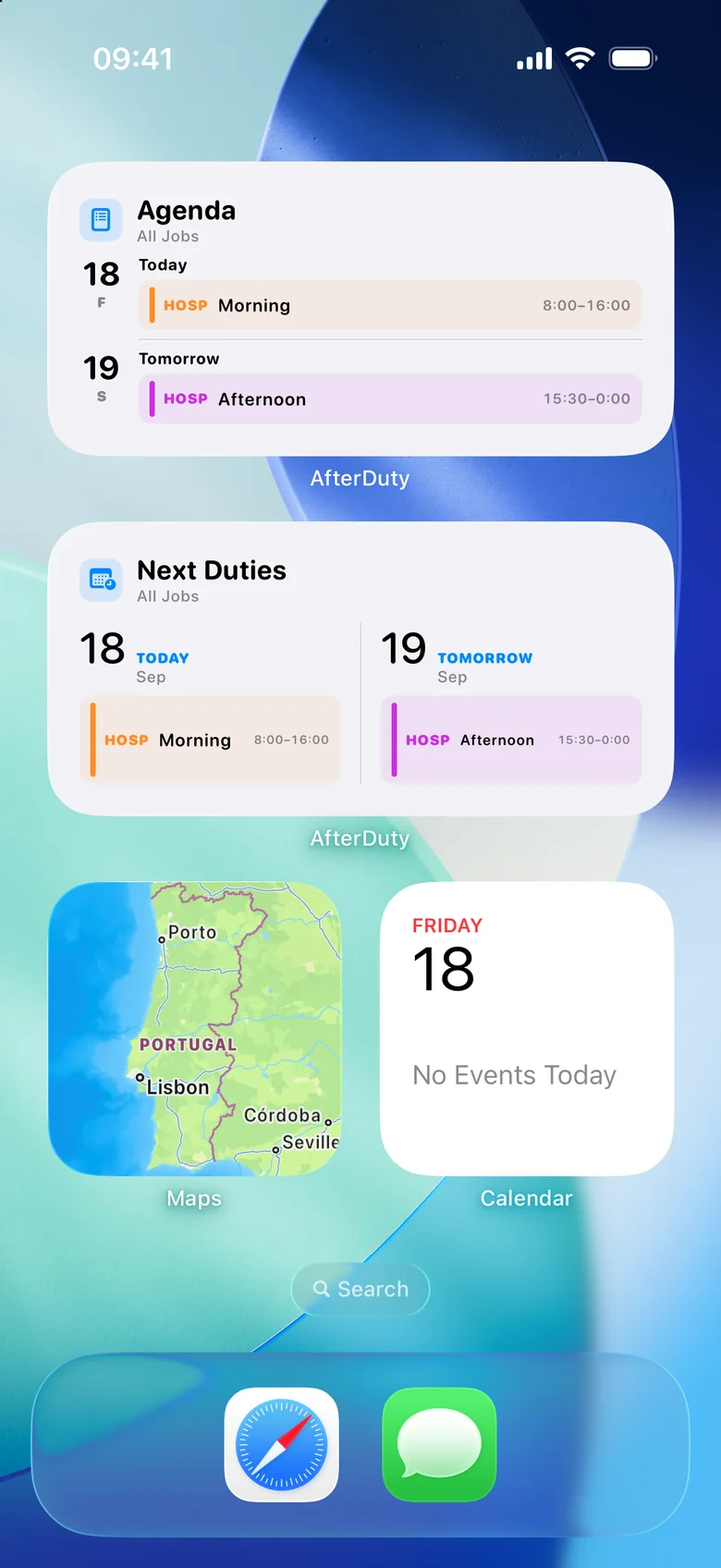
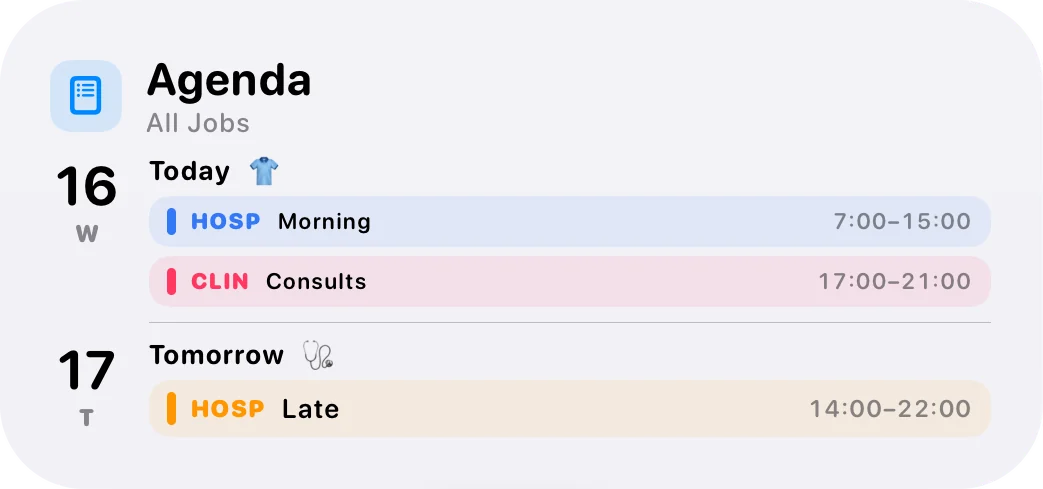
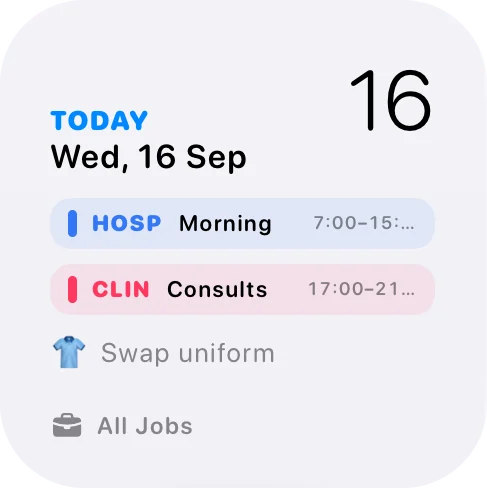
Home Screen and Lock Screen widgets show what’s next (today, tomorrow, the whole week) without opening the app.
- Next duties, week and agenda widgets
- Lock Screen widgets
- A gentle reminder before every shift

05 / 09
The problem
“Phone in the locker, handover in ten minutes.”
With AfterDuty
Your shifts,
on your wrist.
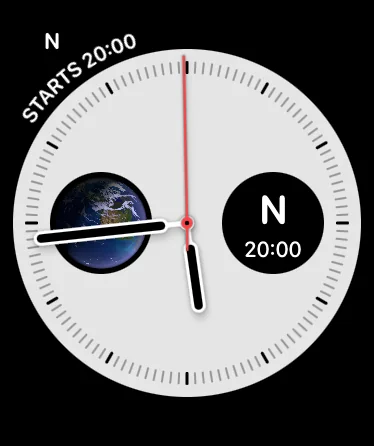
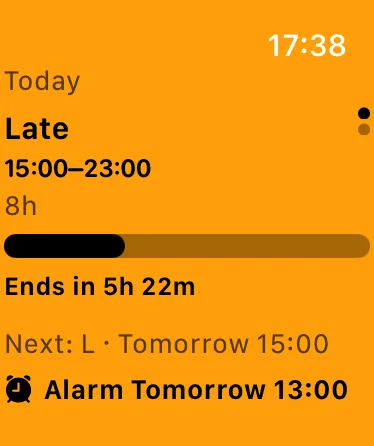
The AfterDuty Apple Watch app counts down to your next shift and lists what is coming. Complications put it right on your watch face.
- Countdown to your next shift
- Upcoming shifts, with their notes
- Complications for your watch face
06 / 09
The problem
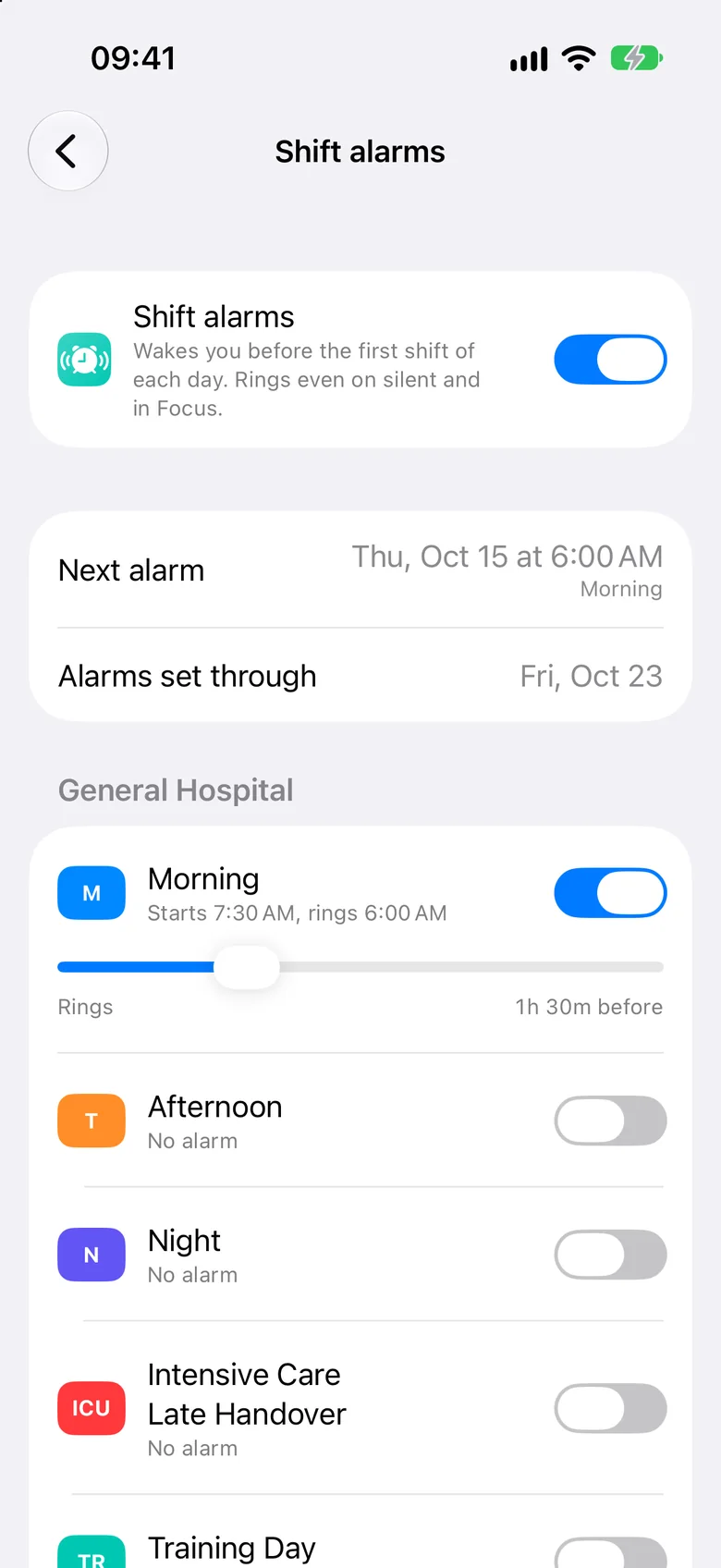
“Five alarms on your phone, and the rota changed again.”
With AfterDutyPro
Your rota
sets your alarm.
Give each shift type its own wake-up alarm, as early as you like. AfterDuty sets them from your rota and keeps them in step when it changes. Only the first shift of the day rings. Needs iOS 26 or later.
- One alarm per shift type, 5 minutes to 5 hours before
- Follows your rota when it changes
- Shown on your Apple Watch
07 / 09
The problem
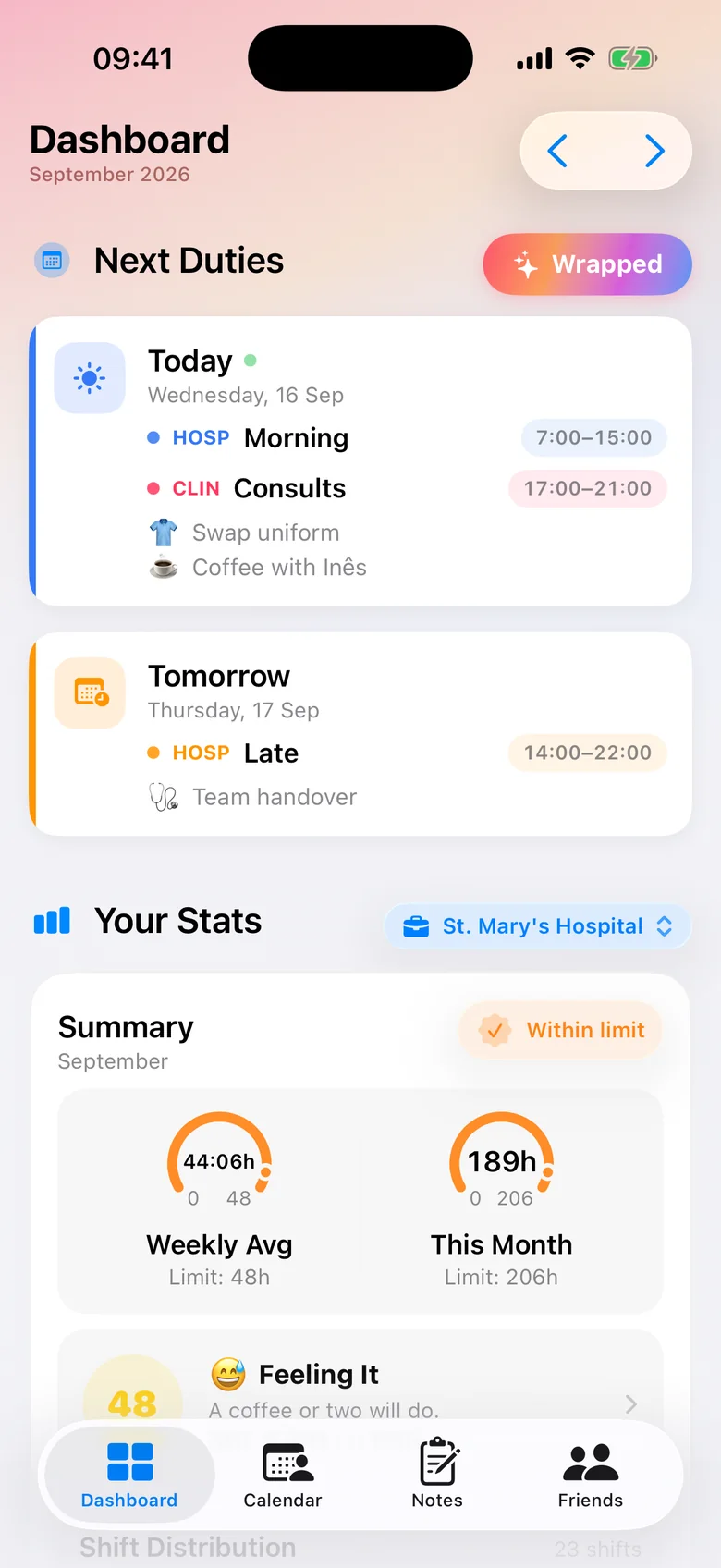
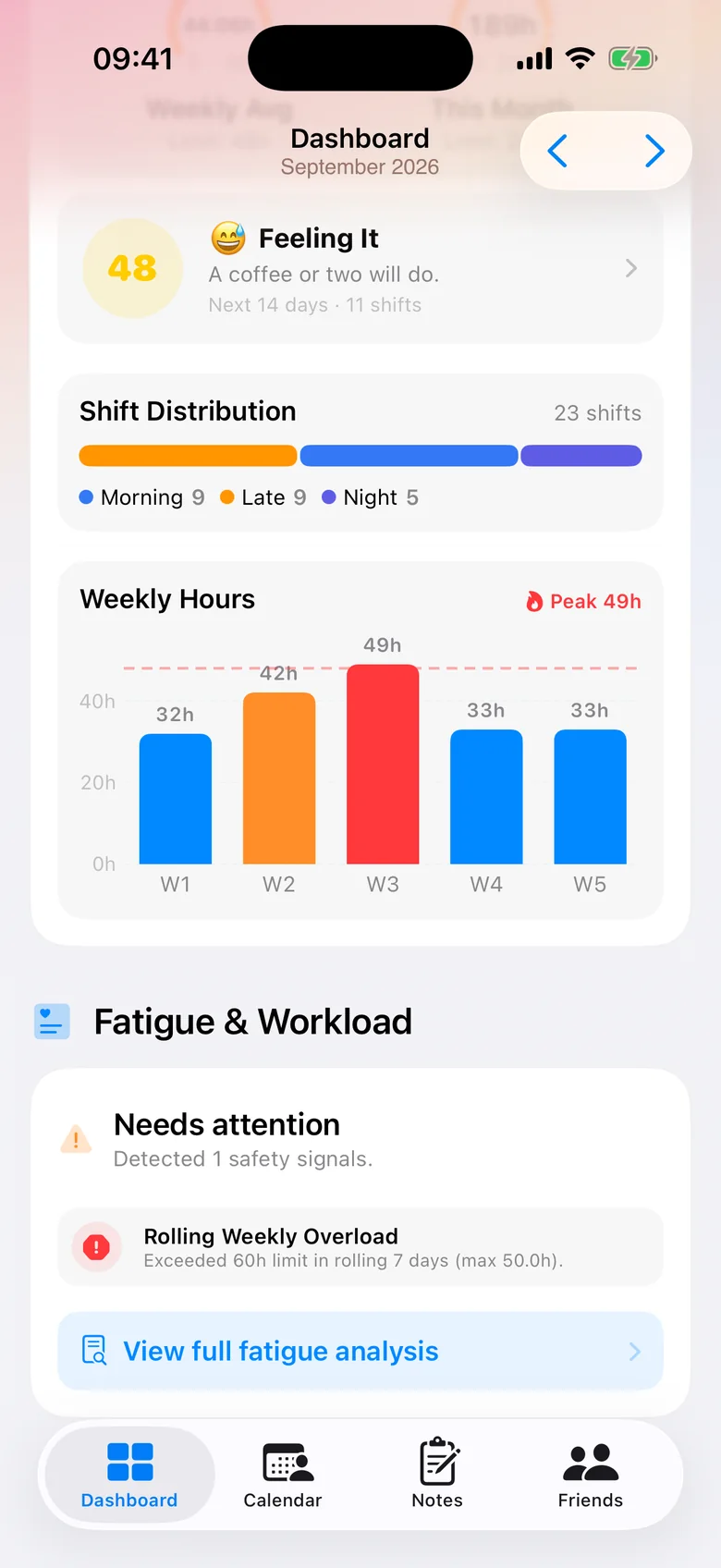
“Four nights in a row, and you only notice once you’re running on empty.”
With AfterDuty
Your hours.
Your rest.
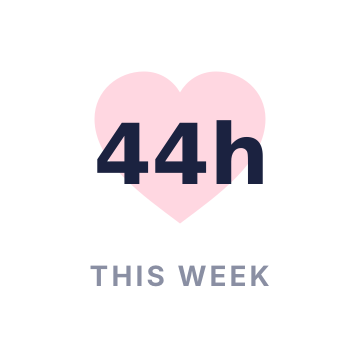
Weekly hours, shift mix and night runs, all counted for you. AfterDuty flags long stretches and short rest gaps before they catch up with you.
- Weekly and monthly hours
- Fatigue & workload signals
- A monthly summary of your rota

08 / 09
The problem
“Walking out of a rough night, and nobody asks how you are.”
With AfterDuty
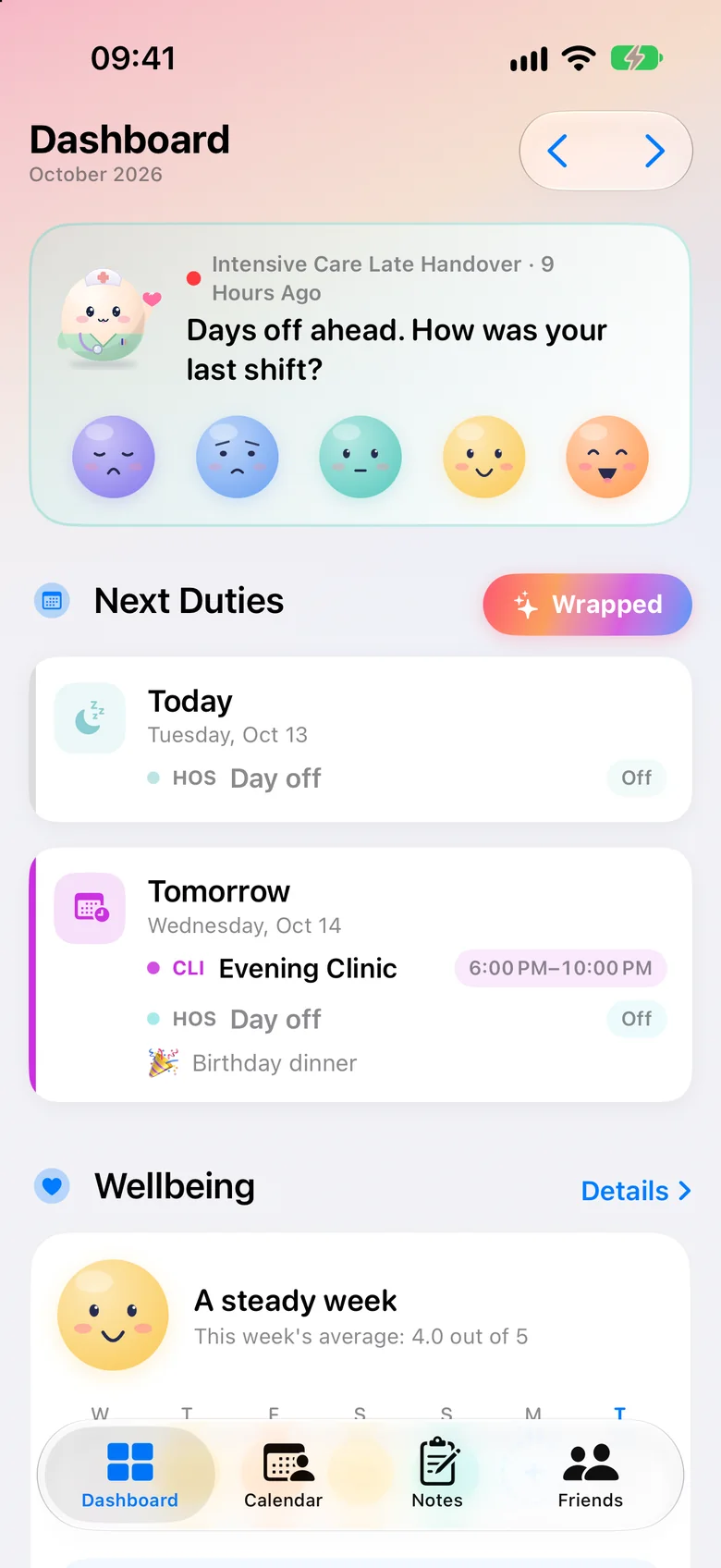
How was
your shift?
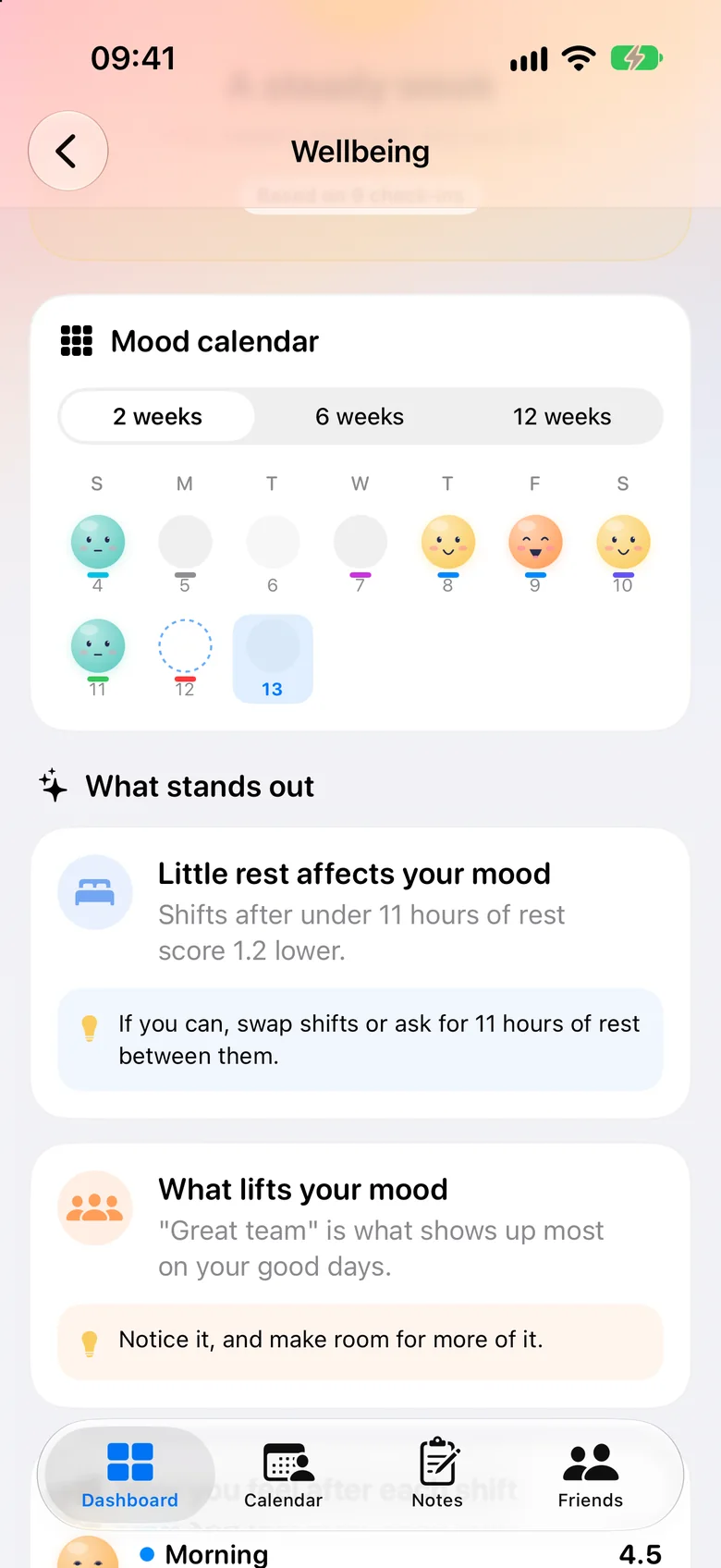
After a shift, tap a face. That is the whole check-in. Over time AfterDuty shows what weighs on you and what helps. It is a personal log, not medical advice.
- One tap after each shift, even from the lock screen
- Reminders only after hard shifts
- Pro adds longer history and insights
09 / 09
The problem
“Your rota lives in one place, your life in another, and the birthday clashes with a late.”
With AfterDuty
Room for
your life, too.
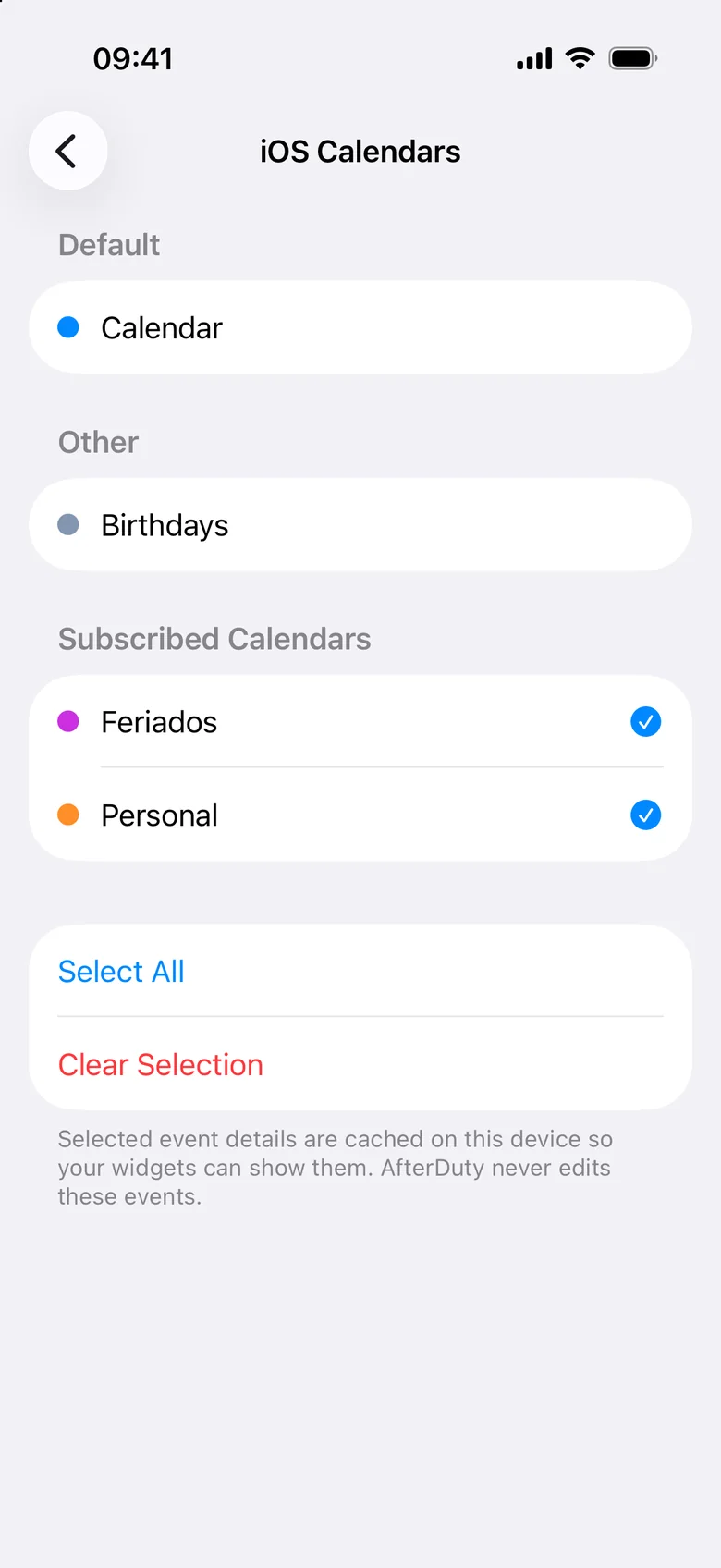
Add notes with emoji and times to any day, mark the ones that matter, and sync shifts to your iPhone Calendar so everything sits together.
- Notes with emoji, times and reminders
- Colour markers for important days
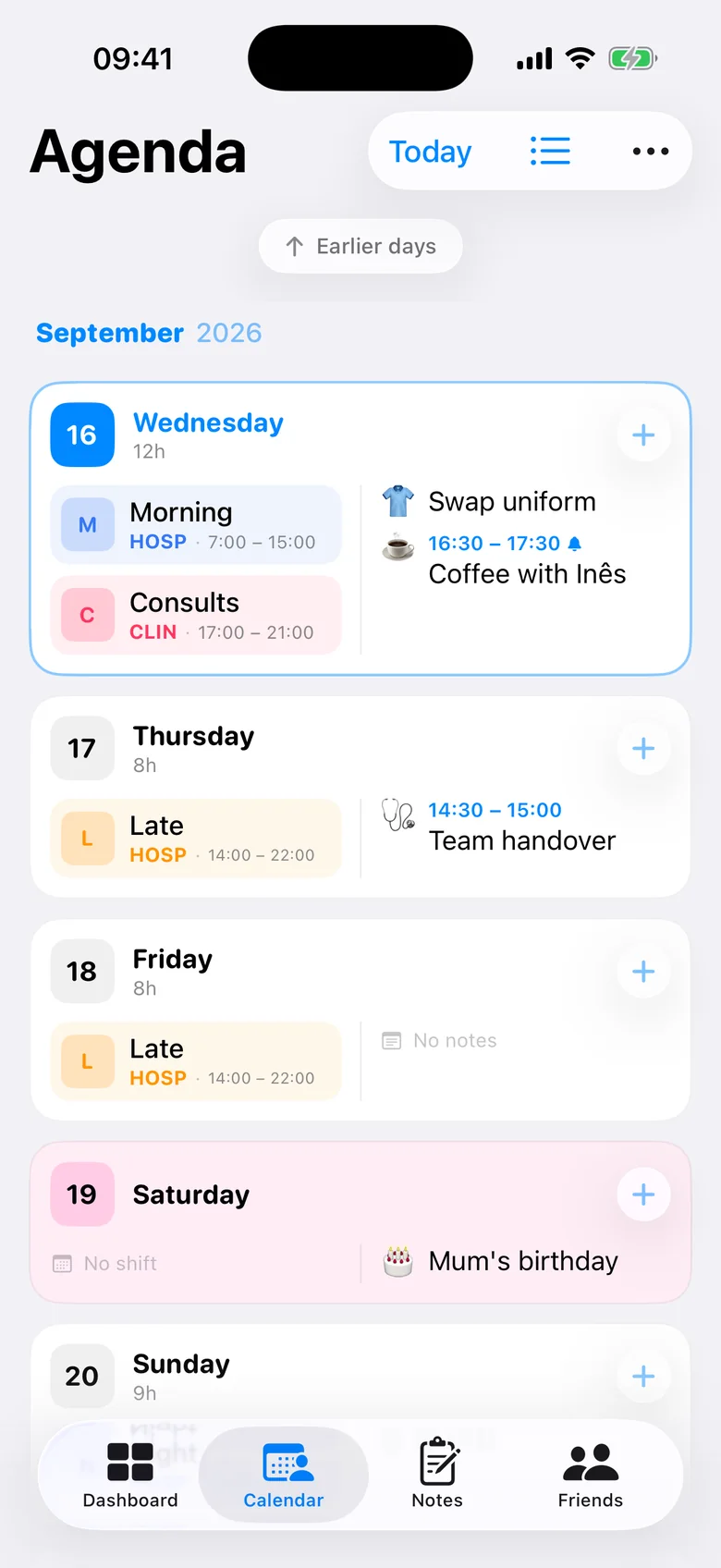
- Your iPhone calendar events, right in the agenda
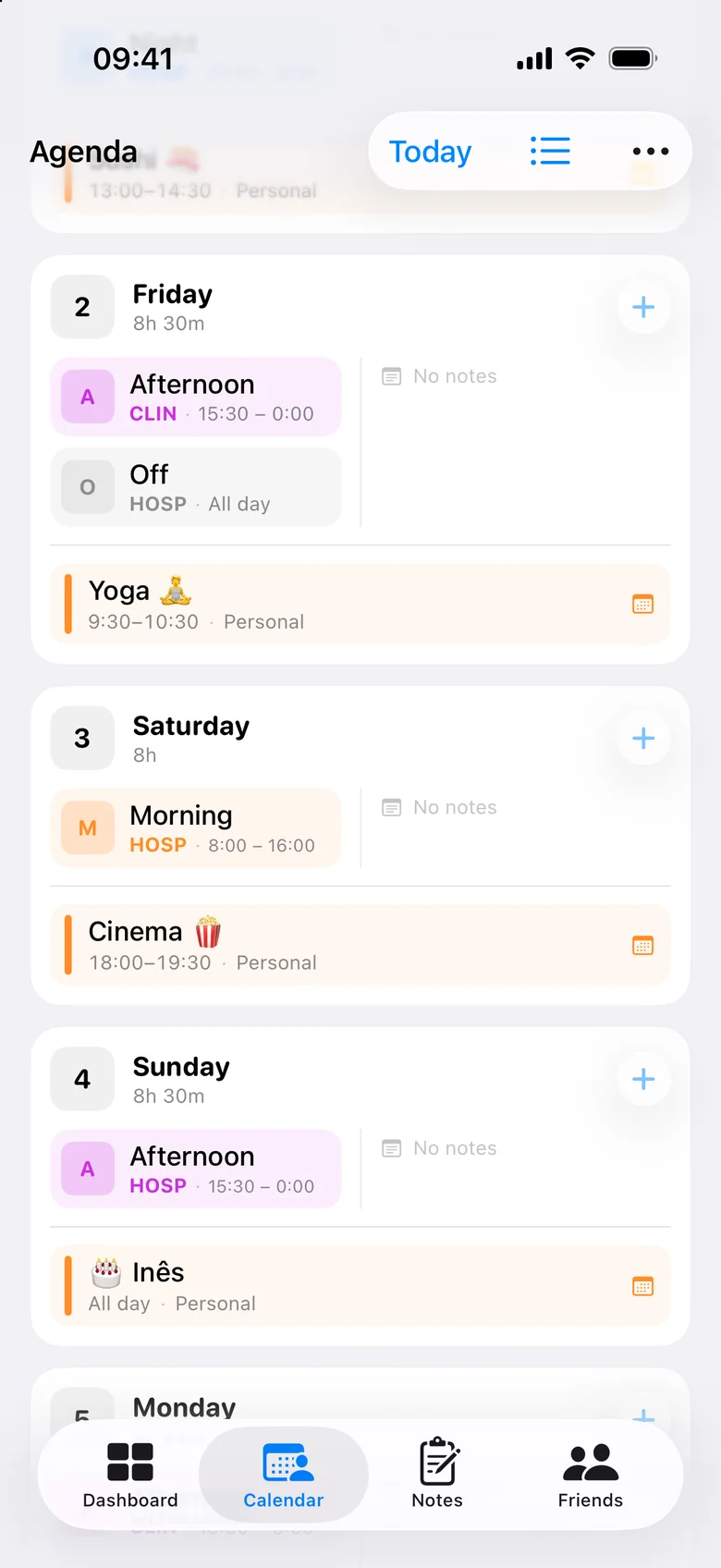

Your rota, your way
Month, week
or agenda.
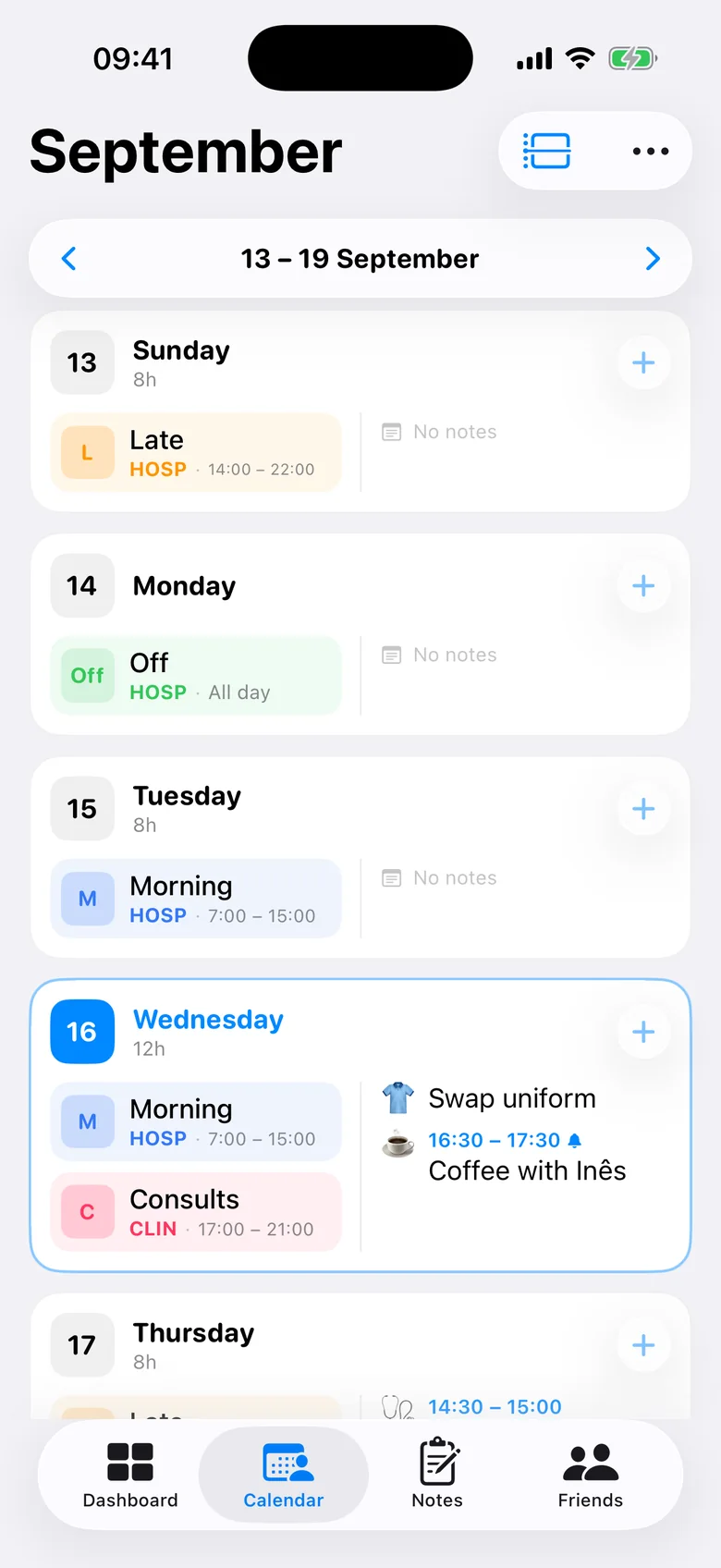
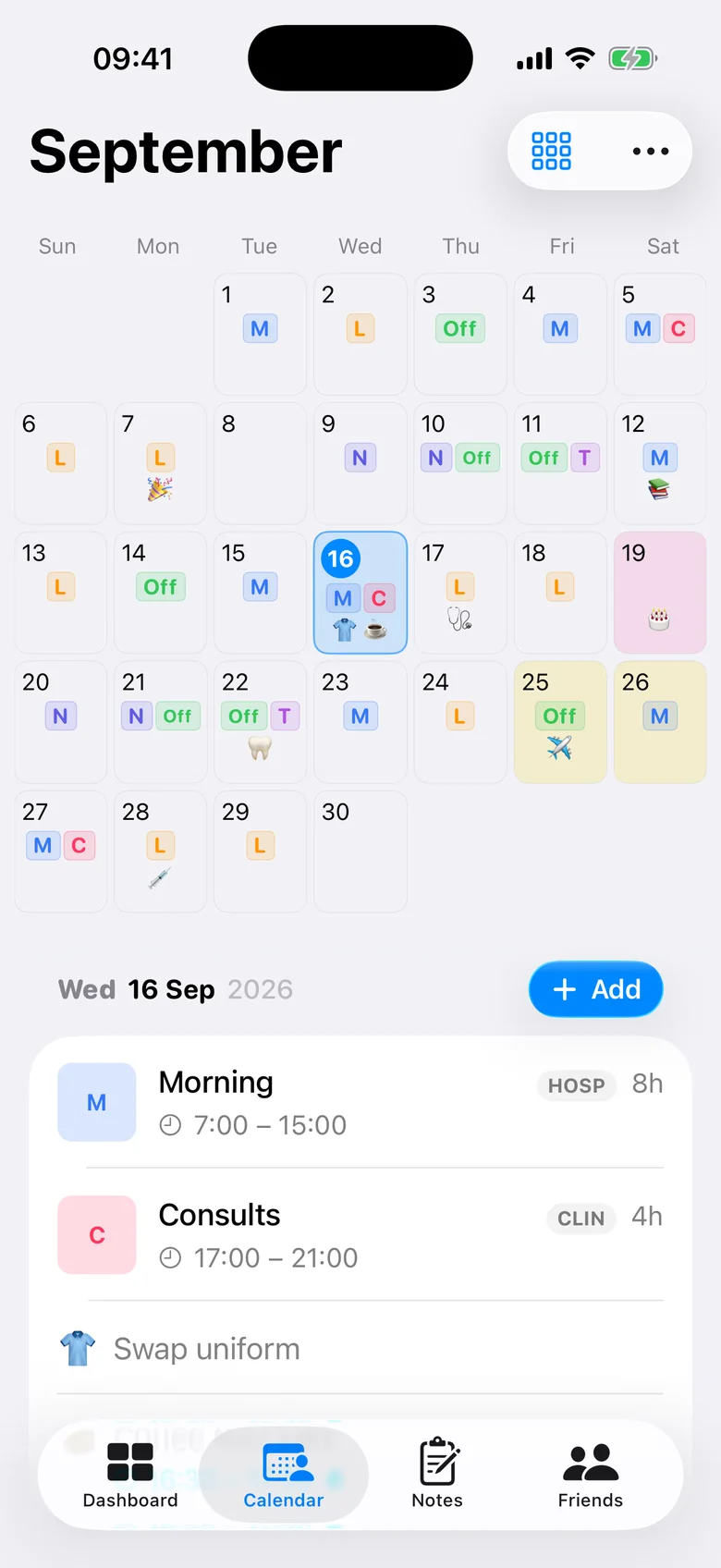
Switch views in a tap. Customise every calendar day with two to four lines: shift code, name, time or a note’s emoji.
The whole month, colour-coded at a glance.
And all the little things
Thoughtful down
to the last shift.
Rotation patterns
Build your cycle once, or start from a template, and apply it for months.
Smart reminders
A nudge when next month is still empty, and before every shift.
Notes with emoji
Training, appointments, birthdays, with your own emoji shortcuts.
Day markers
Highlight the days that matter with custom colour palettes.
PDF export
Print it, send it or hand it in on the ward.
iCloud backup
Backed up to your own iCloud. Nothing on our servers.
Dark mode
Easy on the eyes on the 3 a.m. break.
English & Português
Fully translated, built in Portugal for shift workers everywhere.
Shift alarms (Pro)
A wake-up alarm for each shift type, set from your rota.
Apple Watch
A countdown, your upcoming shifts and watch face complications.
Wellbeing check-ins
One tap after a shift. See what weighs on you and what helps.
Colour themes
Eight themes for the app, the dashboard and your widgets.
Privacy you can actually check
Private. Ad-free.
Yours.
Your rota says where you are, at what time, every single day. That’s your business and nobody else’s.
No account
We never ask for an email or a password.
No ads. Ever.
You’re the user, not the product.
No tracking
No personal data collection, no analytics profiles.
On your iPhone
Your data stays on device. Backups use your own iCloud.
Simple pricing
Free to use.
Pro when you want more.
AfterDuty
Free
Everything you need, every day
- Unlimited shifts, jobs and notes
- Month, week & agenda views
- Tap-to-fill and rotation patterns
- Home & Lock Screen widgets
- Apple Watch app and complications
- Wellbeing check-ins after your shifts
- Reminders and monthly summaries
- Share with friends & fatigue summary
AfterDuty Pro
ProMonthly or yearly
For when your rota runs your life
AfterDuty +
- Shift alarms: a wake-up alarm for every shift
- iPhone Calendar sync
- Full fatigue & rest analysis
- Wellbeing insights and longer history
- Six more colour themes
- Unlimited friends: compare the whole team
- Pro PDF export: no watermark, multiple months
Cancel anytime from your Apple ID.
Questions
Good to know.
Yes. Planning your rota, multiple jobs, rotation patterns, widgets, reminders, notes, the Apple Watch app and wellbeing check-ins are all free. AfterDuty Pro adds shift alarms, iPhone Calendar sync, the full fatigue analysis, wellbeing insights, unlimited friends, more colour themes and the Pro PDF export.
No. There is no sign-up, no email and no password. Open the app and start adding shifts.
On your iPhone. Backups go through your own iCloud account. If you share your rota, it is encrypted on your phone before it is uploaded and the key stays in the link, so we cannot read it.
Yes. Build your cycle (for example Morning, Afternoon, Off, Night, Off), or start from a template, pick a start date and apply it for as many months as you like. You can still change any single day afterwards.
That’s exactly what it’s for. Each job has its own shift types, colours and codes, and you can see everything in one calendar or filter by job.
You send a private link. Friends open it in the app or in any browser, with no account, and appear in Friends, where you can compare rotas and see the best days to meet. Free accounts can open two friends; Pro unlocks more.
Yes. The Apple Watch app shows a countdown to your next shift, the shifts coming up and the details of each one, and there are complications for your watch face. It needs watchOS 11 or later and an iPhone with AfterDuty. The roster comes from your iPhone, so edit it there.
Shift alarms are part of AfterDuty Pro and need iOS 26 or later. Each shift type can have its own wake-up alarm, from 5 minutes to 5 hours before the shift starts. Only the first shift of each day rings, and AfterDuty keeps the alarms in step with your rota. Alarms are set for the next 14 days and topped up whenever you open the app.
A one-tap question after a shift: how was it? You can add what weighed on you or what helped. Over time you get a mood calendar and, with Pro, insights such as how little rest affects your mood. It is a personal log, not medical advice, and it stays with your roster on your iPhone.
AfterDuty is on iPhone today. A web version is on its way.

Get your time back
after duty.
Set up your month tonight. It takes less time than your tea break.