Nurse rota planner
A nurse rota planner for rotating shifts.
AfterDuty is an iPhone app that helps nurses and healthcare professionals plan rotating shifts — earlies, lates, nights, long days and days off — and keep the whole rota in one calendar. It’s free to download and needs no account.
What AfterDuty does for your rota
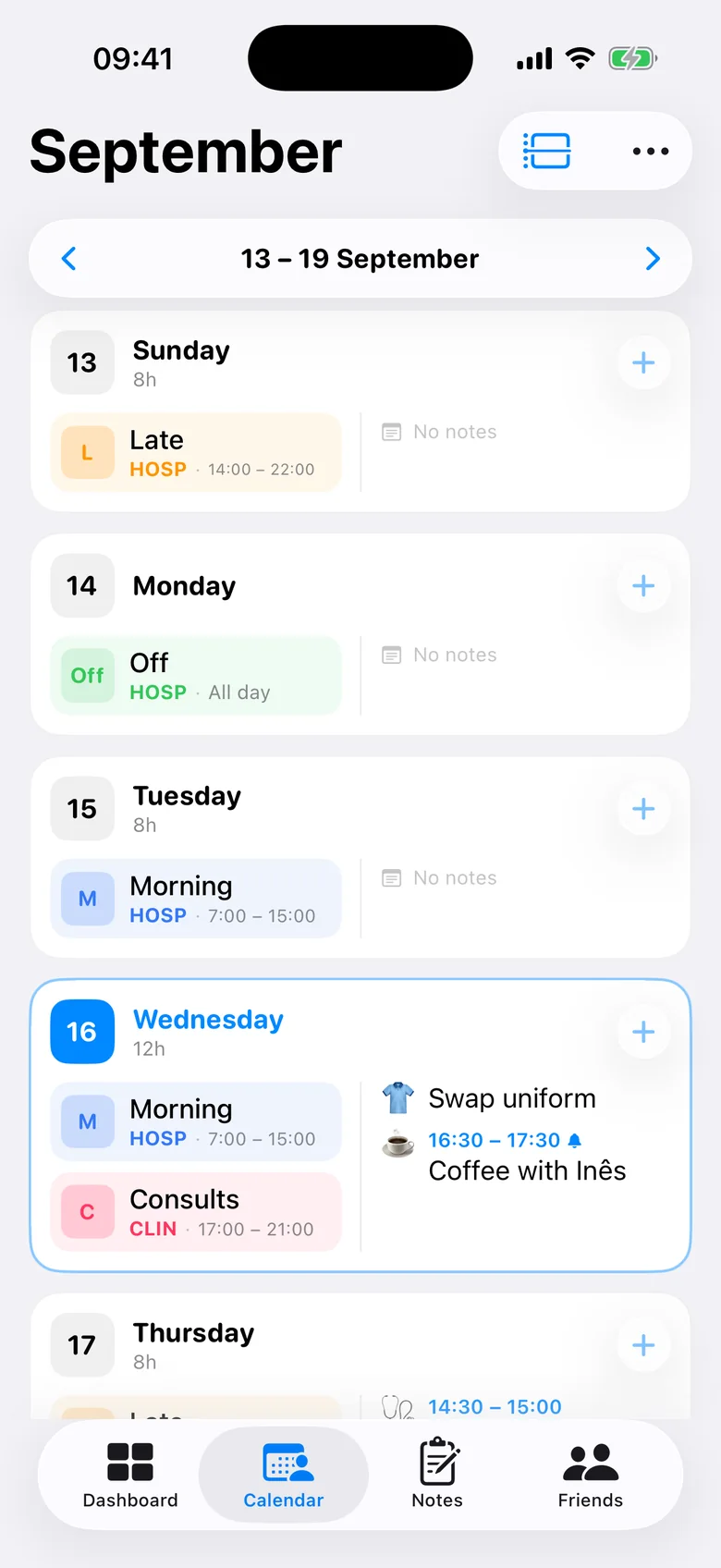
Rotas in nursing rarely repeat every seven days. AfterDuty is built around that: you define your own shift types — with names, times, colours and short codes — and then either tap them onto days one after another or save your rotation as a repeating pattern and lay it down for months at once.
Everything else follows from the rota: widgets show your next shift, reminders arrive before each one, colleagues you share with can see when you are both off, and you can export the month as a PDF.
Quick entry
Fill a month in under a minute
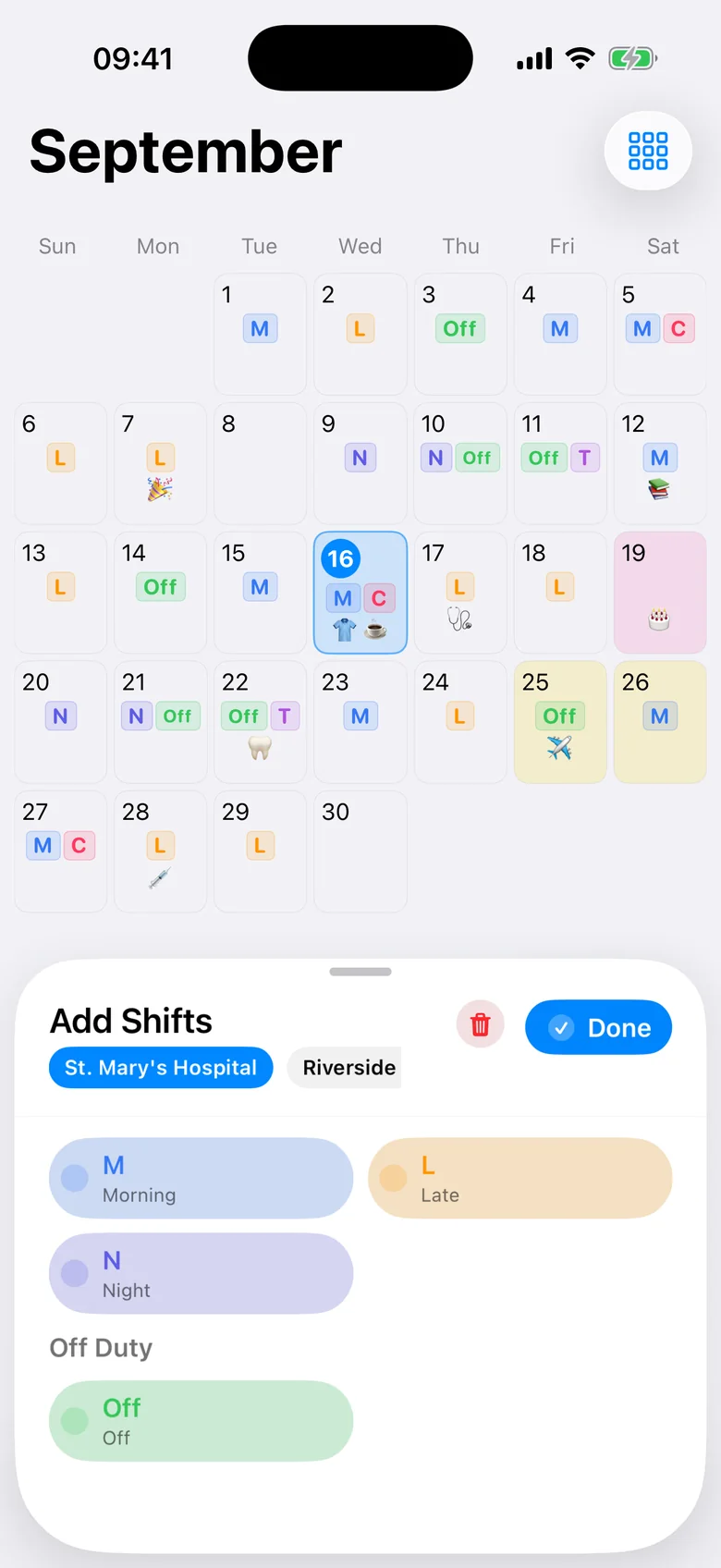
Choose a shift type and tap the days you work it. After each tap AfterDuty moves to the next day on its own, so a full month of earlies, lates, nights and days off takes seconds rather than an evening.
- Tap-to-fill that advances by itself
- Your own shift types, times, colours and codes
- Change any single day afterwards
Repeating rotations
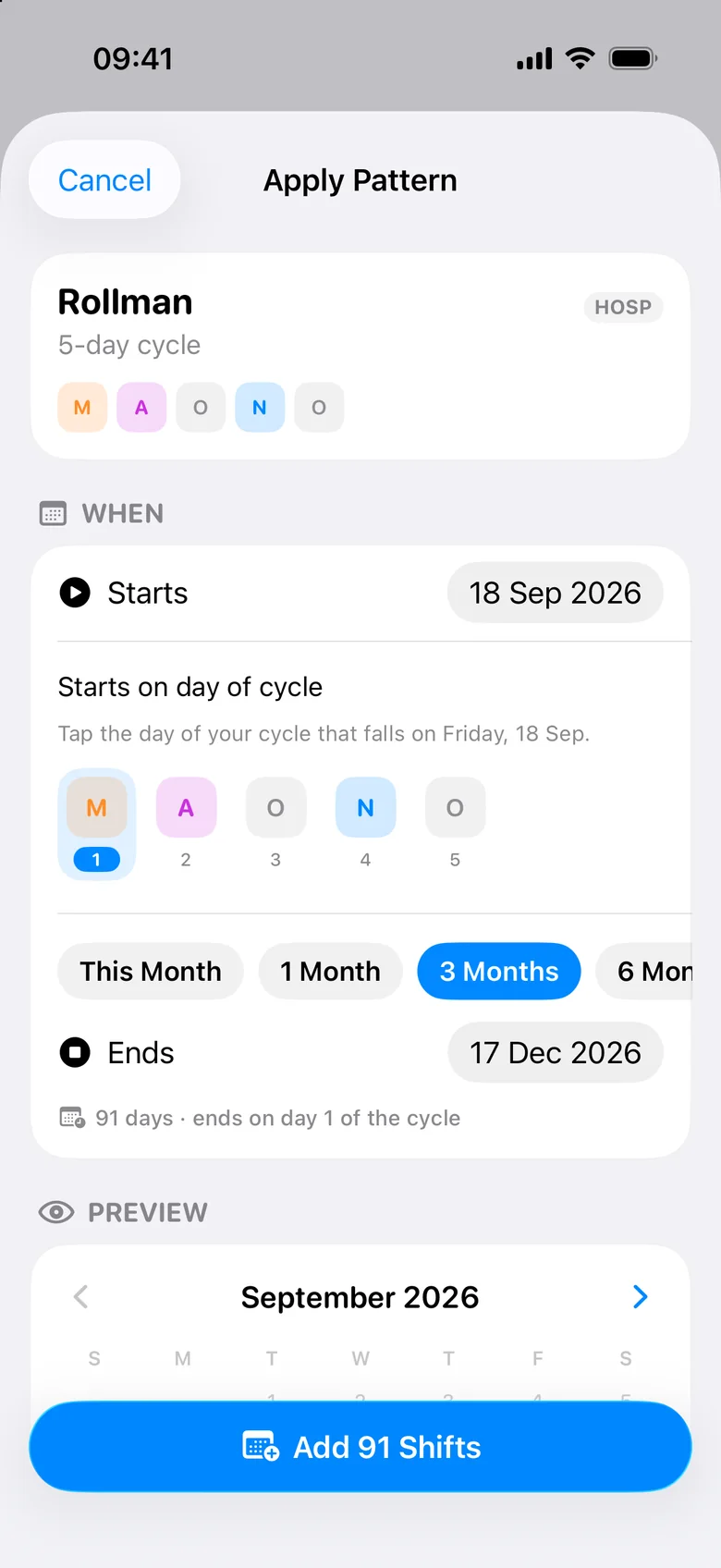
Save your rotation once, apply it for months
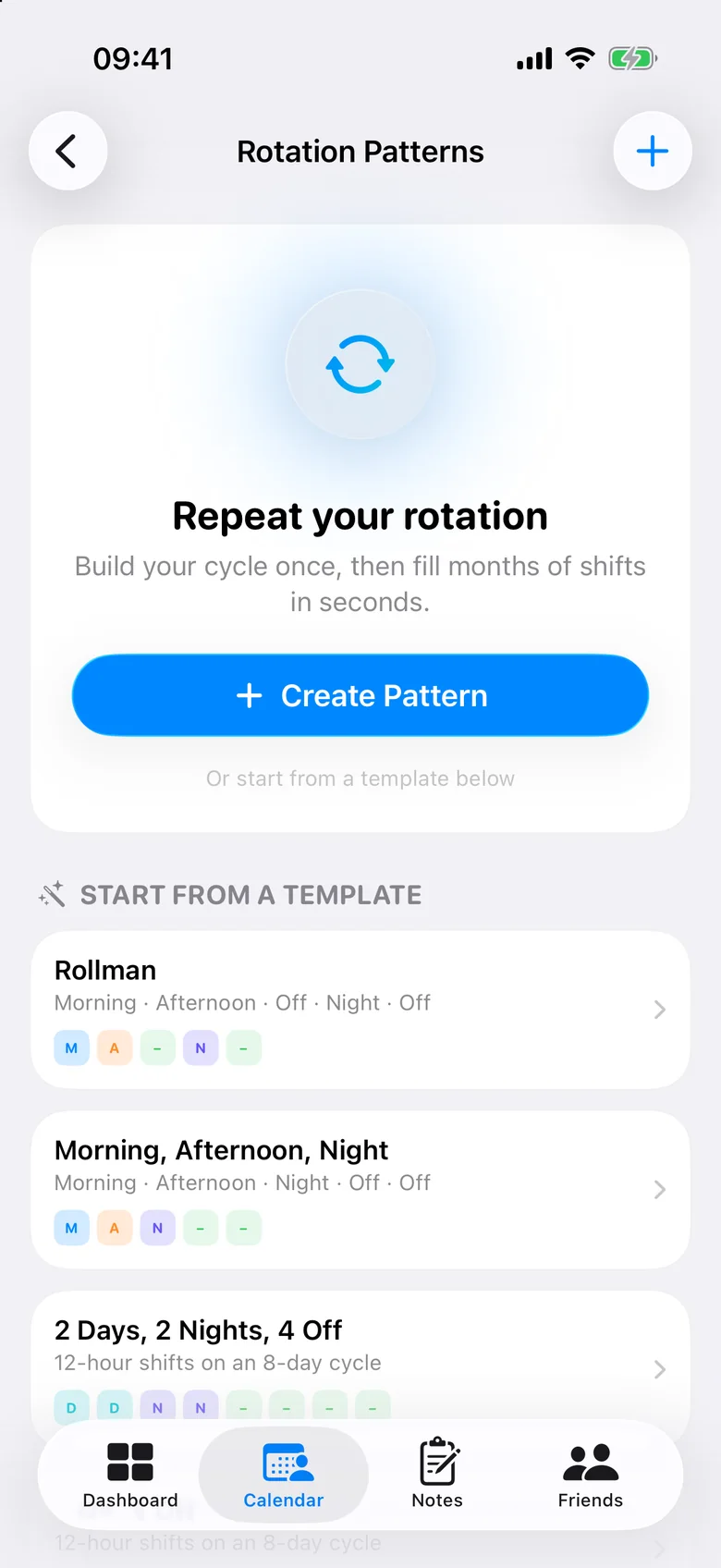
Build your cycle day by day, or start from a ready-made template: Rollman (early, late, off, night, off), earlies-lates-nights, 2 days, 2 nights, 4 off, 4 on, 4 off, Pitman 2-3-2 or Monday to Friday. Pick the day of the cycle you start on and apply anything from the current month to a full year.
Want to see a pattern before you install anything? Try it in the free shift pattern generator.
Several jobs
Every job in one rota
Working on a ward and doing bank shifts or a second job? Give each job its own shift types, colours, codes and weekly hours, then see them together or filter by job — so you notice clashes before they happen.
- Separate shift types per job
- Hours per job, per week and per month
- One calendar for everything
Sharing
Share your rota and find days off together
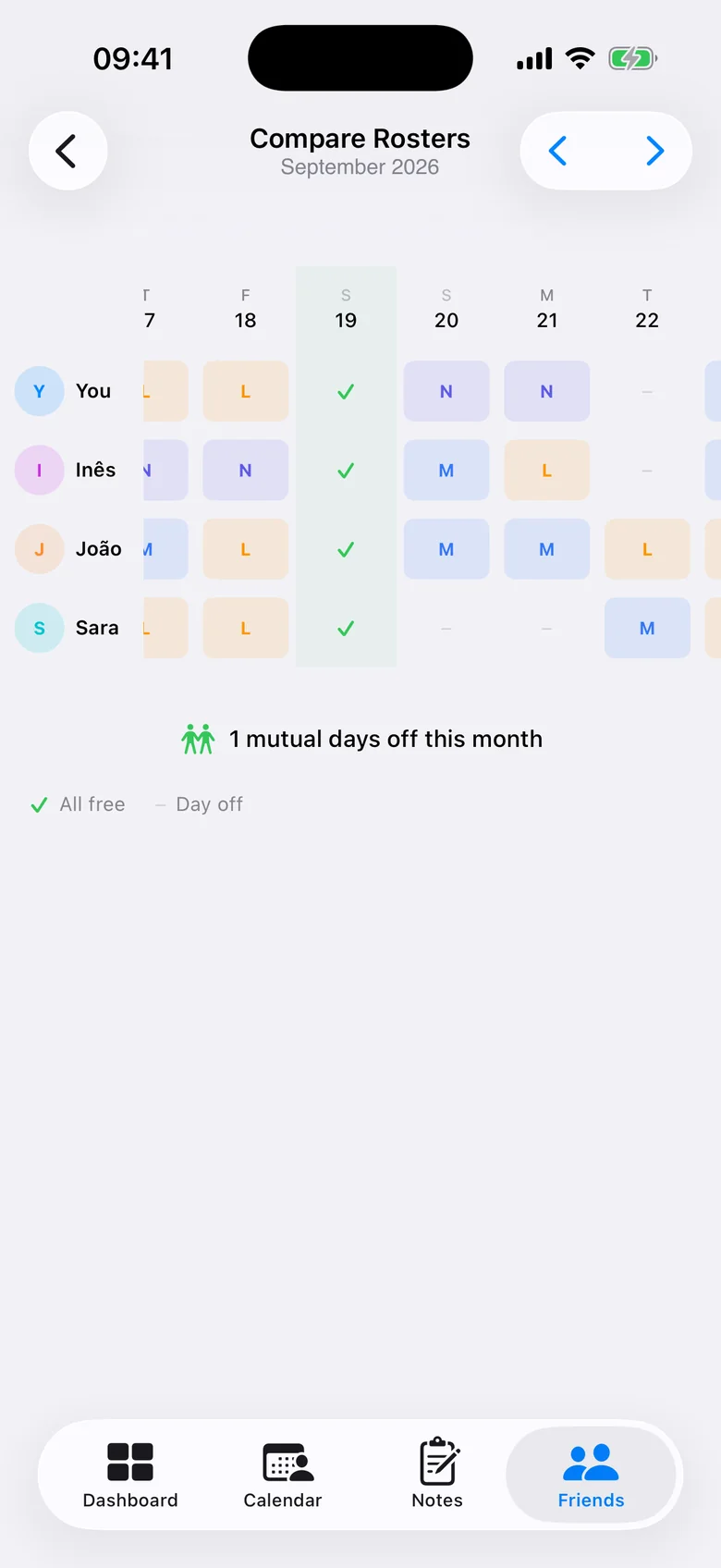
Share your rota privately through iCloud with friends or colleagues who also use AfterDuty, then compare rotas side by side. Days when you are all off are highlighted.
- No account — sharing uses iCloud
- Free: open up to two friends’ rotas for this month and next
- Pro: unlimited friends and any month
Also part of the rota
Reminders
Before each shift, near the end of the month if next month is still empty, and a monthly summary.
Widgets
Your next shifts on the Home Screen and the Lock Screen.
Month, week, agenda
Switch views in a tap. Read more about the shift calendar.
Rest and workload
Short rest gaps, night runs and heavy weeks flagged. See fatigue and rest tracking.
PDF export
One month free (with a watermark); several months, notes and totals with Pro.
iPhone Calendar
Send your shifts to a calendar of your choice with Pro, kept up to date.
iCloud backup
Backup and sync across your devices through your own iCloud account.
Private by design
No account, no ads. Your rota stays on your iPhone and in your iCloud.
Frequently asked questions
Can I create repeating nurse shift patterns?
Yes. Build your own cycle of any length or start from a template such as Rollman, 2 days, 2 nights, 4 off, 4 on, 4 off or Pitman 2-3-2, choose the day of the cycle you start on and apply it for up to a year. You can still change individual days afterwards.
Can I track night shifts?
Yes. Night shifts are a shift type like any other, with their own times, colour and code. AfterDuty counts them and flags runs of more than three nights in a row and day shifts that start less than 24 hours after a night.
Can I use AfterDuty for multiple jobs?
Yes. Each job has its own shift types, colours, codes and weekly hours, and you can view all jobs together or one at a time.
Can I share my rota?
Yes, through iCloud with people who also use AfterDuty. Free users can open up to two friends’ rotas for the current and next month; AfterDuty Pro removes those limits. You can also export your rota as a PDF.
Does AfterDuty require an account?
No. There is no sign-up, email or password. iCloud is only used if you turn on backup or sharing, and it is your own Apple account.
Is AfterDuty available on Android?
Not at the moment. AfterDuty is an iPhone app and requires iOS 18 or later.